Everything in this workshop will be done on your own personal server on the CryoCloud JupyterHub.
Your server’s disk space is persistent, meaning that any files you create will still exist after you stop and restart your server.
Server options
Once you’re logged in to the CryoCloud JupyterHub, you’ll be presented with a screen like this:
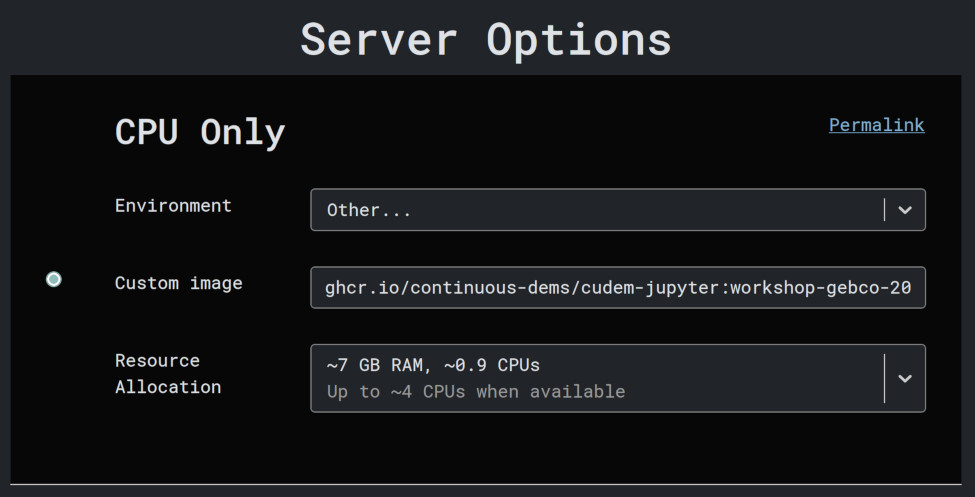
Instead of filling out this form, click here to open the same page with the form pre-filled with the correct options.
For reference, the correct values are:
Environment: “Other...”
Custom image:
ghcr.io/continuous-dems/cudem-jupyter:workshop-gebco-2026Resource allocation: “~7GB RAM, ~0.9 CPUs”
Click “Start”
When you click start, CryoCloud will begin creating your personal server. You should see a progress bar like this:

After a few moments, you’ll be presented with the JupyterLab interface.